The complete platform for automated phone conversations
Voice agents, campaigns, WhatsApp and a phone for your team, sharing the same contacts, consent records and history.
Agents that sound right and do the follow-up
Give each agent its own instructions, language, voice, model, documents, time limit and allowed actions. Test it in text before it ever takes a call.
- Inbound and outbound. Answer your number, call back, or place calls for a campaign.
- Greeting and instructions. Write how the agent introduces itself and what it should achieve.
- Time limit. Every call has a maximum duration you control.
- Human transfer. Hand over to an available person or number; otherwise a callback request is kept.
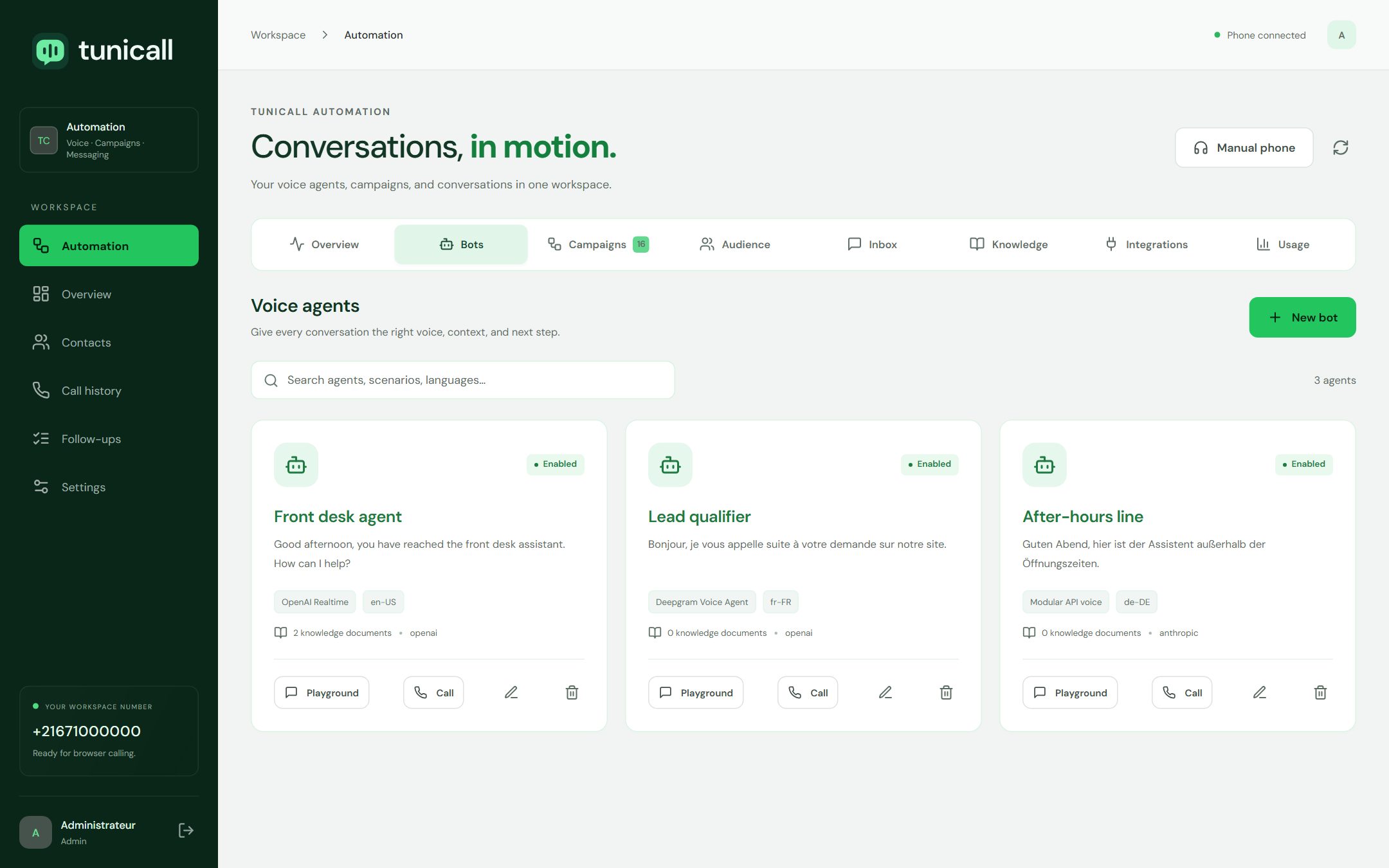
Eight voice architectures, chosen per agent
| Architecture | How it works | Good to know |
|---|---|---|
| OpenAI Realtime | A speech-to-speech model hears the caller and answers directly. | Phone audio is used natively, with interruption handling and tool calls. |
| Gemini Live | Google native audio model connected to your instructions and tools. | Audio is converted between the phone line and the model automatically. |
| Deepgram Voice Agent | Deepgram listens, reasons with a managed model and speaks with Aura voices. | Default voices for English, French, German, Spanish, Italian, Dutch and Japanese. |
| ElevenLabs Agents | Call audio streams to your ElevenLabs agent with its own model and voice. | TuniCall actions are offered to the agent as client tools. |
| Twilio ConversationRelay | Twilio turns speech into text and back; your chosen model writes the replies. | Requires ConversationRelay on your Twilio account. |
| Modular chain | Deepgram speech recognition, your language model, ElevenLabs voice. | Full control over each step; replies are spoken one turn at a time. |
| Qwen hybrid | The modular chain with a Qwen language model on your own server. | Speech recognition and voice still use Deepgram and ElevenLabs. |
| Qwen local | Qwen speech recognition, language model and speech synthesis on your GPUs. | Processing stays in-house; measure latency on your own hardware. |
Reach a list without losing control
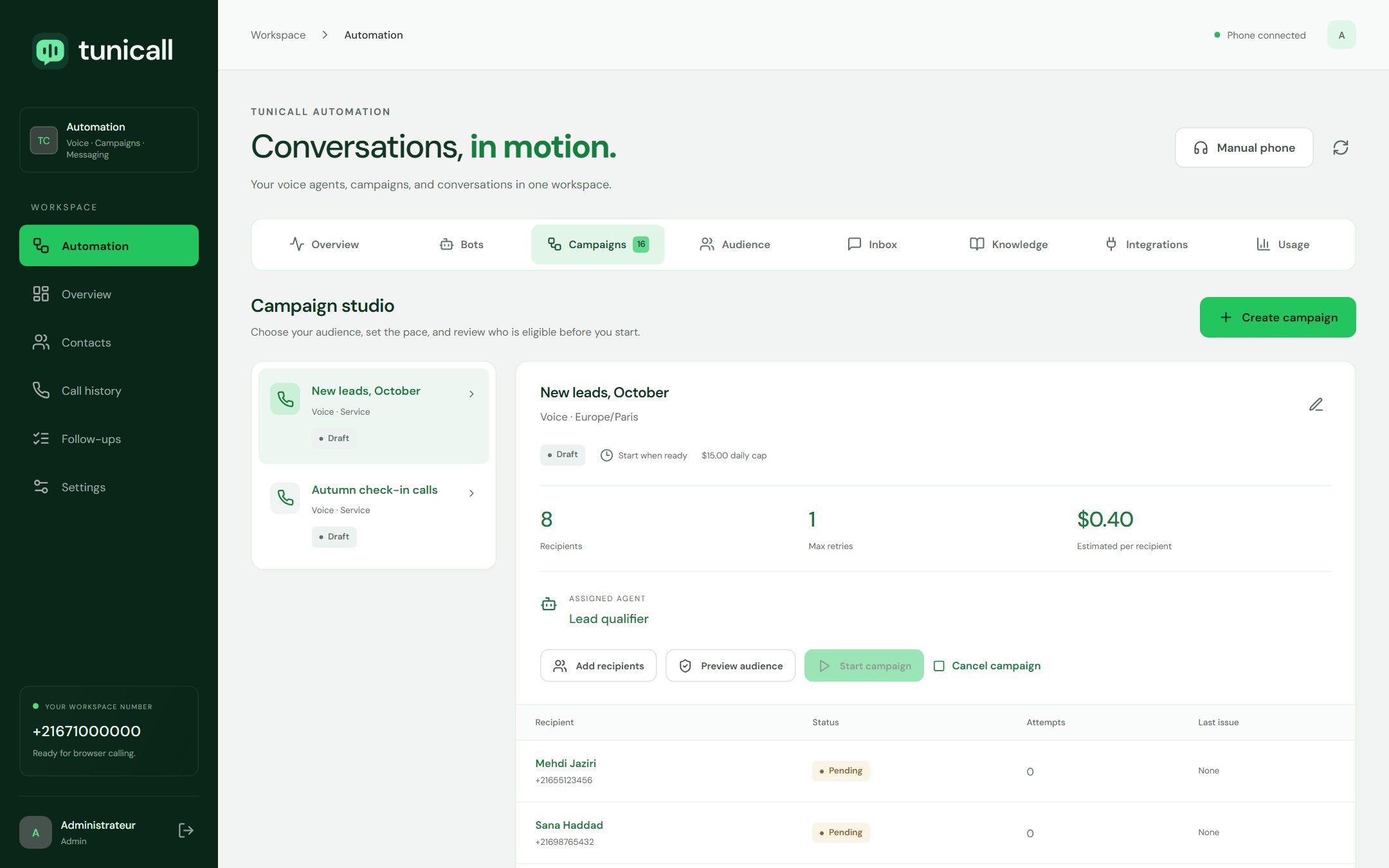
Campaigns pair an agent with an audience, then apply your consent rules, schedule and limits before a single call or message goes out.
- Voice or WhatsApp, linked to the agent of your choice.
- Audience from existing contacts or a CSV import.
- Consent per channel and purpose (service or marketing), with its source.
- Schedule in your local time, with business hours and weekdays in the campaign time zone.
- Preview eligible recipients and the estimated cost before starting.
- Limits: daily budget per campaign, a workspace-wide cap and an emergency stop.
- Retries with a maximum count and a delay between attempts.
If a provider does not confirm whether a message or call went out, the recipient is marked unknown instead of being retried, so nobody is contacted twice by accident.
Conversations that continue where customers write
Connect a Twilio WhatsApp sender or your Meta Business number, then choose whether an agent or your team answers.
- Signature-checked webhooks for Twilio and the Meta Cloud API.
- One conversation per contact, with the full message history.
- Automatic replies by a text agent, or human mode.
- Service window rules: free-form replies inside it, approved templates outside it, enforced by the server.
- Template catalogue loaded from your Meta Business account.
- Take over any conversation manually at any time.
Answers from your documents, actions in your records
Agents work from the documents you attach and can act on what they hear, within the actions you allow.
- Knowledge base documents attached per agent, with a size check before outbound calls.
- Save a note on the contact with what was said.
- Update the contact status to one of the values you allow.
- Create a callback for your team. It is an internal follow-up task, not a booking in an external calendar.
- Request a transfer to a person when the caller needs one.
A browser phone for the calls people should take
Your team calls and answers from the browser, in the same workspace as the agents.
- Inbound and outbound calls in the browser, through your Twilio number.
- Presence: available, away, busy or after-call.
- In-call controls: mute, keypad and timer.
- Contacts with statuses, notes and recent calls.
- Call outcomes and follow-ups recorded right after each call.
See what happened, and keep the controls
Every conversation leaves a trail, and every sensitive setting stays with your administrators.
- Conversation history with transcripts, events and outcomes.
- Campaign tracking per recipient.
- Usage estimates and tokens when the provider reports them.
- Users and roles: administrators and agents, with access you can revoke.
- Provider connections encrypted and tested against the real APIs.
- Routing changes previewed and confirmed, with a snapshot of the previous setup.
Want to see it with your own scenario?
Tell us how your phone line works today. We will show you how a TuniCall agent would answer, follow up and hand over.